Sahaja Yoga Centers Widget
This is a widget to browse Sahaja Yoga Meditation Centers on any Sahaja Yoga website with simple code integration as shown below.
Demo:
Usage
1. Whitelist your domain:
Get your domain (e.g. sahajayoga.org) whitelisted to use the Widget and it's API's.
Please contact info@sycenters.org with your website domain and your
domain will be whitelisted.
2. Add code in your Website:
To use the widget, you need to add the following code to your website:
Where you want to display the Widget in body:
<syc-widget color="#FEC500" scope="" gmapsApiKey="YOUR_GOOGLE_MAPS_API_KEY" defaultLanguage="en"></syc-widget>-
color: You can change color of the widget by changing the color attribute to match your Website theme. -
scope: You can limit the widget to a specific region by adding the scope attribute. Keep it blank for global centers.
Example:scope="India-Maharashtra,India-Karnataka-Belgaum"
This will limit the widget to only show centers in Maharashtra and Belgaum District of Karnataka state in India.
You can add multiple regions by separating them with a comma,. -
gmapsApiKey: You must replaceYOUR_GOOGLE_MAPS_API_KEYwith your actual Google Maps API key. This is necessary for maps functionality. Check below instructions for more details. -
defaultLanguage: Set the default language for the widget. Available options:en(English),hi(हिन्दी),es(Spanish),ru(Russian),de(German),fr(French). Default will been(English) if not specified.
At the end of <head> tag:
<link rel="stylesheet" href="https://widget.sycenters.org/styles.css">At the end of <body> tag:
<script src="https://widget.sycenters.org/runtime.js" type="module"></script>
<script src="https://widget.sycenters.org/polyfills.js" type="module"></script>
<script src="https://widget.sycenters.org/main.js" type="module"></script>
3. Get a Google Maps API Key for Your Domain:
To obtain YOUR_GOOGLE_MAPS_API_KEY for a specific domain (e.g. `sahajayoga.org`), follow these
clear step-by-step instructions:
1. Go to Google Cloud Console
Visit: https://console.cloud.google.com/
2. Create or Select a Project
- Click the project dropdown (top bar).

- Choose “New Project” or select an existing one.
- Give your project a name (e.g.
SycWidgetProject) and click Create.
3. Enable Billing
- Google Maps API requires billing (you get free monthly credits).
- Go to https://console.cloud.google.com/billing/ and create a billing account.
- Link your billing account to the project.
4. Enable Required APIs
- Go to: https://console.cloud.google.com/apis/library/maps-backend.googleapis.com
- Enable the Maps JavaScript API API:
5. Create API Key
- Go to: https://console.cloud.google.com/apis/credentials
- Click “+ Create Credentials” → “API Key”
- A key will be generated (e.g.
AIzwSyASqMnvDWJI7Pw_urRMwjM-HkXPOXuDuh4) - Use this key in the widget code.
6. Restrict API Key to Your Domain (Must be done to avoid abuse)
-
In the API key settings:
- Click “Edit API key”
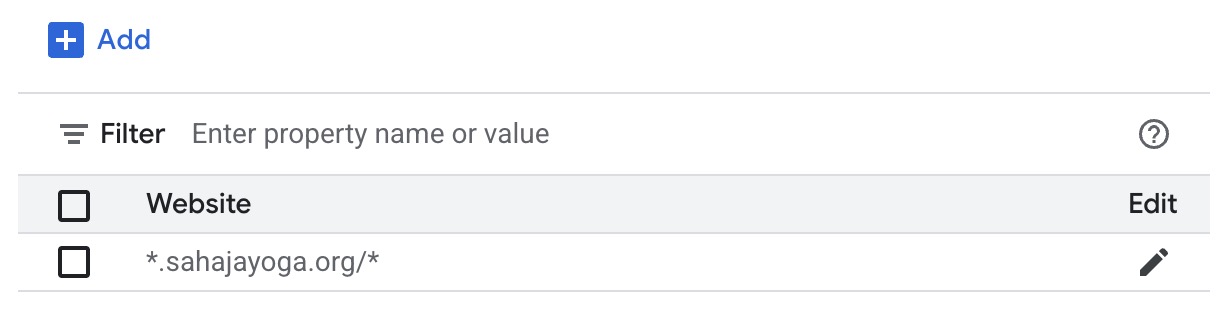
- Under “Application restrictions”, choose Websites and add your website
entry like
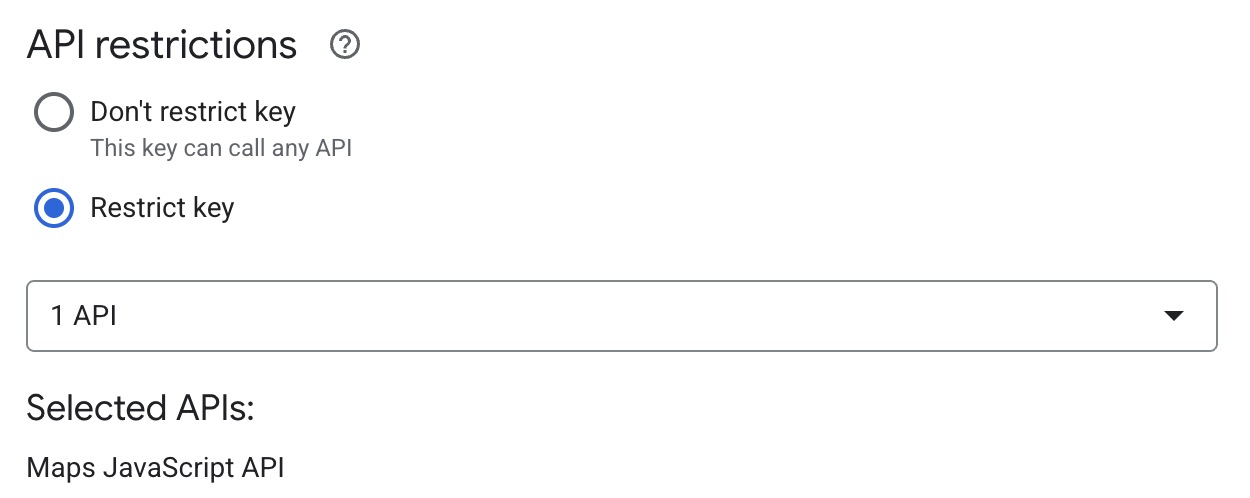
*.sahajayoga.org/*: - Under “API restrictions”, choose:
- Restrict key
- Select: Maps JavaScript API
-
Click “Save”
Jai Shree Mataji 🙏
Now our Widget is ready to use. For any issue in Widget or it's functionality do reach out
to us at info@sycenters.org.